When I talk about "the platform" at Wilkins Software, I do not mean a single branded product. I mean the shared way I build and ship apps for more than one client: internal services, libraries, conventions, and the boundaries that keep those pieces from turning into a pile of copy-pasted repos. I did not set out to build a platform brand. I set out to stop paying for the same login flow, the same Nest setup, and the same deploy headaches on every new client app.
That path was not one big rewrite. First I needed shared services so every new app did not reinvent login, secrets, and background jobs. Then I pulled product code into an Nx monorepo so Nest setup and shared UI lived in libraries instead of forks.
Then the UI host moved again: Nest used to serve Next (and later a Redwood worker embedded next to Nest), and today the browser hits a RedwoodSDK Worker on Cloudflare while Nest stays the API on Fly. Most of the hard lessons in this story come from that last move.
01Shared services first
Before the monorepo held every product UI, I already had a simple rule: if a capability would get reused across clients, build it once as an internal service and let products opt in. Clients do not get forced onto that infrastructure. They opt in, and when they do, they get a real deployment of the service rather than a half-copied shortcut.
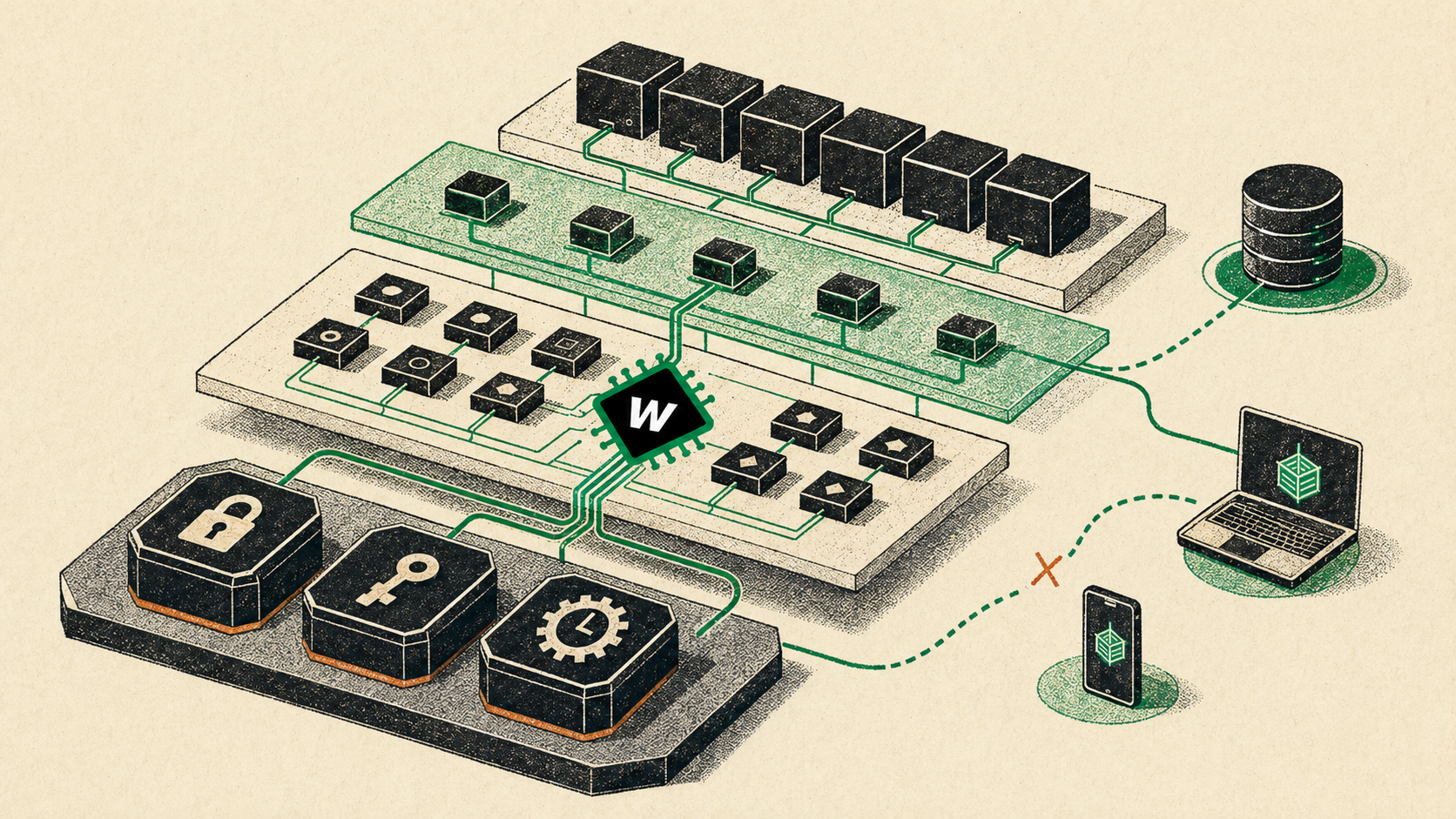
Auth handles login and sessions. Secret Keeper stores connection strings and shared secrets. Jobs API schedules work and hands it off to trigger.dev. Product apps talk to Auth for identity; Auth and Jobs talk to Secret Keeper for credentials.
Auth Service
Login, signup, cookies, and tokens for client apps. One identity service so I do not rebuild a login system for every product.
Secret Keeper
Database URLs, service passphrases, and other shared settings that should not get copied into every app env file.
Jobs API
Schedules and runs background work through trigger.dev. Password resets, verification mail, and other "send this later" tasks live here instead of in every product app.
Product apps
Client work that plugs into Auth when it needs shared identity. React with Nest or Express at first, then Next inside Nest, then RedwoodSDK Workers when the UI needs its own place at the edge.
That model solved reuse for identity, secrets, and jobs. Those services still ship as their own apps in the monorepo (Auth, Secret Keeper, Jobs). Secret Keeper in particular came from a simple refusal: I did not want the same database URL and service passphrase copied into every app env file, then drifting the first time someone rotated one copy and not the others.
Shared services also taught me that "shared" means you inherit everyone else's networking quirks. On Fly, Auth and Jobs talking to Secret Keeper would fail as unreachable when IPv6 was in the path, even though IPv4 worked fine. The fix was not glamorous: prefer IPv4 for those app-to-app calls and clean up IPv6 DNS records that pointed the wrong way. Shared services look clean on a diagram until DNS disagrees.
Product code was still the gap: shared UI, Nest setup patterns, and caching kept getting copied from one app repo to the next.
02One monorepo, shared libraries
The fix for the copy-paste problem was an Nx monorepo: apps in one place, shared TypeScript packages in another. For a long stretch, product UIs were Next.js apps hosted by Nest. Those packages are consumed directly by apps. They are not built and published separately. Fix Nest or UI shared code once, and every product app picks it up.
Deploys leaned on a shared Docker base image with dependencies already installed so every Nest app did not reinstall the world on each ship. Prisma needed the same treatment: each app generates its own client so Shelter Sense types do not collide with Auth or You Power Project just because they all sit in one repo.
The cleanup was not subtle. When I finally extracted the Nest + Next copy-paste into shared helpers, root modules that had been eighty-plus lines dropped to something closer to twenty. Webpack, Tailwind, Next config, and Nest setup stopped drifting between apps every time I fixed a deploy issue in one of them. The first product apps that forced that cleanup were the Toronto Humane enrichment list (the walk-list tool that later grew into Shelter Sense) and You Power Project. Same Nest shell, different domains.
These are the packages I keep reaching for:
nest-utils: Nest startup wiring, Redis cache setup, andcreateStandardRootModulefor Nest apps that served Nextuniversal-components: shared UI primitives and app shell pieces, so every product does not invent its own slightly different sidebar and dialognestjs-serve-next-app: older Nest hosting for Next.js product UIsnestjs-serve-redwood-app: current Nest setup for RedwoodSDK viacreateStandardRedwoodRootModuleredwood-utils:callAppServicebridge helpers, redirects, images, and related UI utilities
Images are a good example of why that last package exists. RedwoodSDK does not ship a Next-style image optimizer. Import a big photo into the Worker build and you either make the Worker huge or break when SVG files get pulled into that build. So product images stay in public assets, and in production the shared Image helper rewrites same-site image URLs through Cloudflare Image Transformations. That only works if Transformations are enabled on the domain serving the site. Resize and format at the edge, keep the Worker thin.
Hosting Next inside Nest also meant owning Next's trickiest parts myself. Image optimization in that custom server needed a Date.now workaround; an early patch that ran on every request raced with itself when many requests hit at once, so it had to become a one-time patch after the server finished starting. That kind of bug is why shared hosting code belonged in a library instead of three slightly different copies.
The Nest root helper shows the pattern. Apps do not rebuild the whole Nest setup from scratch. They flip flags for auth (connected to the shared Auth service), Prisma, cache, and Sentry, then plug in their app and API modules:
// Nest + Next era
export const RootModule = createStandardRootModule({
  appModule: AppModule,
  apiModule: ApiModule,
  enableAuth: true,
  enablePrisma: true,
  enableCache: true,
});

// RedwoodSDK era (same Nest shell, new flag for whether Nest still serves UI)
export const RootModule = createStandardRedwoodRootModule({
  appModule: AppModule,
  apiModule: ApiModule,
  serveRedwoodUi: process.env.PRODUCT_API_ONLY !== '1',
  enableAuth: true,
  enablePrisma: true,
  enableCache: true,
});
Raise the Nest shell once in a library. Keep the product work in the app. Swap the UI host later without rewriting every service.
03Worker and API
For years every product request hit one Node process. Nest took every HTTP hit. API routes stayed on Nest controllers. Static Next assets went through Nest. Everything else fell through to nestjs-serve-next-app, which held a Next server and rendered the page.
Browser
  → NestJS (single Node process)
       ├─ /api/*           → Nest controllers
       ├─ /_next/static/*  → Nest static middleware
       ├─ /_next/image     → Next image optimizer (with custom patches)
       └─ other routes     → Nest renders Next
That was convenient for cookies and local wiring. It also meant I owned Next's custom hosting edges, and a bad import could take down boot for reasons that had nothing to do with the feature I was shipping.
Saving data got harder too. After successful writes, calling router.refresh() (or the Next cache refresh) could leave the form spinner stuck forever even when the mutation had already succeeded. I spent a season ripping refresh out of product forms, teaching actions to clear caches with tags, and inventing small local update objects so list mode did not need a full page data reload. After enough of that, another season of workarounds around the framework started to look more expensive than moving the UI host.
I did not bet the production app on day one. Shelter Sense got a parallel Redwood app beside the Next one. Playwright could hit either build while I chased matching features. Action bodies moved into Nest handlers; the UI called them through callAppService. Dashboard freshness moved off Next cache tags toward Nest/Redis reads. Even local dev had to get stricter: Nest could not proxy to Vite just because a log line looked "ready," so startup waited for a real "listening" check. Only after that held did I delete the Next sources and make Redwood the default app.
The first step off Nest-hosted Next was still not the full split. I spent a stretch embedding a Redwood worker next to Nest so local and production behaved more alike. That got the UI onto RedwoodSDK without changing how people reached the app, but it was only a temporary step: Nest was still carrying the browser surface.
Shortly after, the browser moved onto Cloudflare Workers and Nest went API-only on Fly. Shelter Sense and You Power Project both run that shape now: the worker proxies /api/* (and logout) so cookies stay on the same site, server actions and page loaders call Nest through callAppService, and the worker never imports Prisma. In API-only mode Nest turns UI serving off so it does not host the app twice. The marketing site went further and dropped Nest entirely. The split era is clearer to deploy and noisier on a laptop: Worker UI in one process, Nest API in another, two things to keep alive before e2e.
That boundary was not just a diagram. Shared Nest helpers that accidentally pulled Next into the Node server would blow up at boot with errors that only make sense inside Next. The same class of mistake on the worker side (Prisma, Nest cores, server-only packages) either makes the Worker huge or breaks the request. So the bridge is intentional: thin UI calls into Nest handlers, Nest owns the database.
The Worker owns the browser. Nest owns the database. Everything that blurs that line eventually shows up as a boot error or a Worker that got too big.
Product apps:
  Browser → Cloudflare Worker (RedwoodSDK UI, cookies)
              ├─ /api/* proxy     → Nest on Fly
              ├─ callAppService   → Nest app-service handlers
              └─ cron / queues    → Nest (scheduled or background work)

Homepage (worker-only):
  Browser → Cloudflare Worker (MDX + static UI, no Nest)
On the Worker side, a server action is usually thin: name a Nest handler, pass the arguments, get a typed result. Cookies ride along so Nest can resolve the same session the browser already has.
// Worker / server action (shape of the call)
const animal = await callAppService<AnimalDetail>('getAnimalDetail', {
  orgSlug,
  animalId,
});
Forms still need care on this stack. If you stop the browser's default submit, you have to send the form fields to the action yourself. Click before the client JavaScript is ready and the browser can treat it like a normal page GET (credentials in the URL if you are unlucky). That is a different kind of problem from the old "form stuck pending forever" bug, not proof the painful bits are gone.
RedwoodSDK also has a layout surprise that cost me real debugging time. The Document shell and the app route tree are separate React trees. Drop a navigation provider only in Document and hooks like useSearchParams throw while the page is rendering or waking up in the browser, then a loading placeholder can sit forever looking like a "routing bug." Providers that the app needs belong in the route/layout tree, not only in the HTML shell.
URL search state had a sibling problem. If the shared store returns a brand-new params object on every read, React treats the snapshot as changed forever and the page can loop updating until it blows up. Store the search string, derive params from that, move on.
Interactive client forms need an explicit wait for the client JavaScript in production too, or the HTML looks fine and nothing happens when you click.
The production Worker build had opinions too. Some React patterns that are fine in Node could get stripped so hard that deploy validation failed on a missing React reference. The fix was to resolve React when the class or context is first used, not when the file loads. Same UI code, different build rules once you leave Node.
Cron and queues moved with the Worker too. Nightly jobs and background work can start at the edge and call into Nest, instead of pretending every schedule still belongs next to the old Jobs API and trigger.dev path. Shared Auth emails still go through Jobs. Product-specific schedules can live closer to the app that owns the data.
Deploy follows the same split: one target ships the Worker, one ships Nest to Fly, and the combined deploy bumps the app version then runs both. That bump-first order has a downside. If the version commit lands and the Worker or API deploy fails afterward, a naive full retry bumps again and you skip a release number. Split deploy targets (or a skip-bump retry) exist for a reason. The homepage deploy is only the worker half, still using redwood-utils helpers with no API behind it.
A couple of shipping lessons stuck. Public values (app URL, Stripe publishable key, frontend Sentry key) are inlined at Vite build time under VITE_PUBLIC_* names now. The old NEXT_PUBLIC_* habit does not survive the Worker build. Setting them only as Fly secrets after the build does nothing for the already-built Worker bundle. Error reporting had to split too: Nest on Fly is one Sentry project, the Worker and browser are another. One key for both surfaces just confuses which half of the stack actually broke. Workers Logs want the same discipline. Keep request logging on a low sample rate so the monthly event budget stays honest; turning sampling up "just to see" is how you burn the quota on noise.
Workers can also put a cache layer in front of the app. That only helps if the Worker is strict about what is shareable. Anonymous marketing pages can take a short public cache. Anything with a login cookie, and anything under the app or API, stays private or uncacheable. Failed responses stay uncacheable too. The default is deny, not hope the edge guesses right.
Client chunks with hashes in the filenames taught a harder lesson on top of that. On Workers, matched static assets can be served without running your Worker code at all. If a missing chunk ever gets cached as a permanent "not found," users stay broken until the URL changes. So chunk URLs live under a versioned assets prefix, and deploy keeps a short window of previous hashes around so stale HTML or a service worker does not strand people on the last release.
Retention still does not fix a short window after deploy where new HTML can meet an old list of asset files. For a minute or two, some chunk requests 404 until versions settle. Reloading recovers because those responses are not cached forever, but every deploy still has that awkward gap. Keeping old hashes around helps the common case; it does not make the new version take over instantly.
One more hosting surprise: free Cloudflare Workers is fine for tiny handlers, but RedwoodSDK server rendering is not tiny. A marketing home page on the free CPU budget would die with an exceeded-CPU error before it finished rendering. Production RedwoodSDK apps need a paid Workers plan with a real CPU window. The architecture only works if the edge can actually finish the work you give it.
Pointing the public domain at the Worker had its own DNS rule. Attach the custom domain only after old DNS that still pointed at Fly is gone. Leave both in place and the Worker domain setup fails, while Nest stays reachable on its Fly address for the API.
A short map of what changed when the UI host moved:
| Concern | Nest + Next era | Worker + Nest API era |
|---|---|---|
| Browser | Nest renders Next in one Node process | Cloudflare Worker (RedwoodSDK) |
| Data / Prisma | Same Nest process as the UI | Nest API-only on Fly |
| UI → Nest | Server actions into Nest handlers | Thin calls through callAppService |
| Public env | NEXT_PUBLIC_* (and Nest at boot) | VITE_PUBLIC_* inlined at Vite build time |
| Dashboard cache | Next tags / page cache | Nest/Redis reads + shared cache clearing |
| List-mode live UI | Live events + page refresh attempts | useSyncedState + Durable Object |
| Images | Next /_next/image with custom hosting patches | Cloudflare Image Transformations |
04Live UI, and staying useful offline
Once the UI lived on a Worker, live updates stopped being "ask Nest for events, then reload the page." On Shelter Sense list mode, staff need to see an animal flip from signed out to signed in across cards and summary columns without a full page reload. I tried the older pattern first: a live event stream from Nest plus a client refresh. It worked until it did not. Refresh races, duplicate bits of the page while it was still filling in, and tests that passed while the surrounding UI lagged behind the form.
The better fit on RedwoodSDK was useSyncedState: one live room per org, per-animal keys for session state, backed by a Durable Object. Nest still owns the write to the database. The client sets the live value after a successful mutation; Nest may also publish as a cross-tab safety net. That last part can fail quietly, so the Durable Object can drift from the database. I ended up adding an explicit resync path (scheduled plus an admin "sync live status" control) instead of pretending the Durable Object was always truth.
Inside one browser tab the wiring mattered too. Cards, summary columns, and undo all need the same live value for an animal. Separate copies of the live-state hook do not stay in sync; one shared value per animal does. And never start that value as an empty string for "signed out." Empty is not null. A bad starting value can flip every summary row while the cards still look right.
SyncedState also depends on an optional dependency. Installs that omitted it left the live connection failing before any sync could happen. One missing package, and the whole live UI looked "broken" for a reason that had nothing to do with the product logic.
Multi-instance Nest still needs its own story for cache: optional Redis, and a single way to clear the cache so one Fly machine does not leave another serving stale reads. When cache is on, Redis config has to be explicit. An implicit default is how you think you are talking to the shared cache when you are quietly talking to something else. Cache keys matter as much as the bus. If a cached value includes per-user fields (can this viewer edit settings?) and you key only by org, a lower-privilege user can leave a stale entry that an admin keeps reading until it expires. Live session flips and cache clearing are related goals with different tools.
Offline is a sibling problem. Shelters do not always have perfect Wi‑Fi on the floor, so I added an org-level offline mode to Shelter Sense (off by default, then beta, then on). When it is active, a service worker and a local browser snapshot keep list mode usable; mutations sit in a local queue and replay through a Nest API when the network returns. List mode is the surface that is built for that path. Other dashboard pages only help offline if the browser already cached them while online.
Shared floor tablets also mean cached pages have to be keyed per user and org, or one person's session leaves the next person staring at the wrong walk list. And that replay path mattered once deploys started rotating the internal ids on server actions: replaying yesterday's queued writes after a Worker deploy is a great way to fail mysteriously, so it goes through a stable API instead.
When someone lands offline without a usable cached page, there is a recovery screen with links to what they still have. I learned those links have to be ordinary browser links. A navigation that tries to fetch a fresh page in the background fails offline and leaves people stuck.
When the connection drops or comes back, a short toast is enough. Staff on the floor do not need a long banner about network state.
None of this was a grand design I drew once and executed. Auth, Secret Keeper, and Jobs came first because I was tired of redoing login, secrets, and "please send this email" in every new app. The monorepo came when Nest and Next copy-paste started lying to me in three places at once. The Worker split came when hosting UI inside Nest stopped being the simpler option. SyncedState and offline came because shelter floors do not wait for a perfect network or a full page refresh. RedwoodSDK did not make the product "simple." It moved complexity onto Worker/Nest boundaries, versioned assets at the edge, and keeping Durable Objects honest. For a multi-shelter floor app with a live walk list, that trade has been worth it.
For the Shelter Sense product story (the reason a lot of this platform exists at all), read The Origin of Shelter Sense.
Key Takeaways
I started the platform as shared services (Auth, Secret Keeper, Jobs API), not as a single product brand. Clients opt in.
The Nx monorepo turned Nest setup, shared UI, and hosting helpers into shared libraries instead of forks.
Product UIs moved from Nest-hosted Next, through an embedded Redwood stretch, to a Cloudflare Worker in front of Nest on Fly. The worker stays free of Prisma; Nest keeps the database.
Live list UI uses Worker SyncedState, with a shared value per animal and a resync path when the Durable Object drifts from the database. Offline list mode is per-org and replays through a stable Nest API.
Shipping still bites: bump version before deploy, bake public env at Vite build time, split Sentry by surface, treat edge cache as deny by default, and give production page rendering a real Workers CPU budget.
See the platform in a product
Shelter Sense is where a lot of this stack got real for me: a live walk list, offline on the floor, and a Nest API behind a Worker UI.