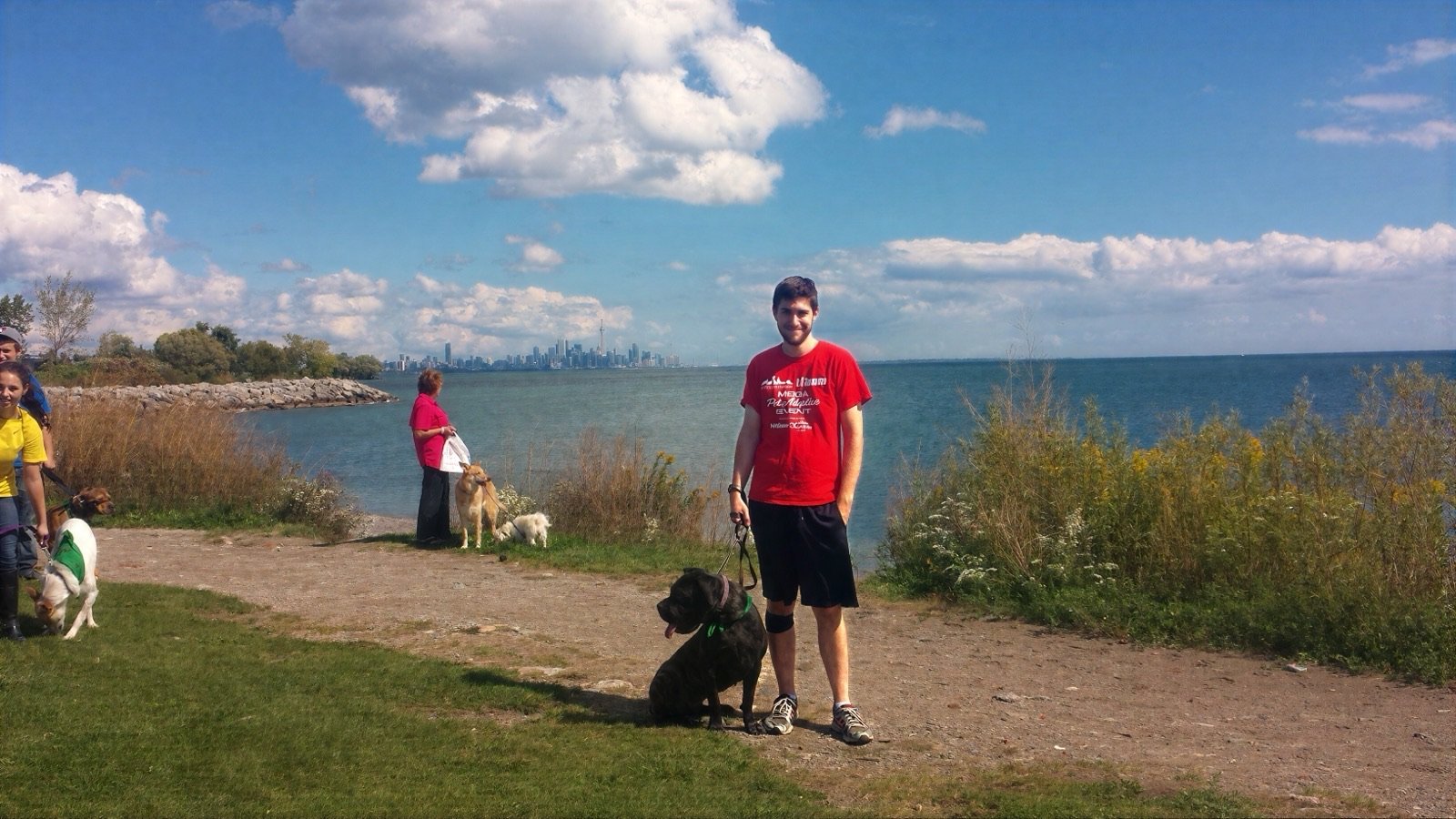
In the year 2012, when I was around 21 or 22 years old, I started working at the Toronto Humane Society. I sought out that job a little while after my dog Riley, a giant schnauzer, died of cancer that same year. Her death affected me deeply, and made me realize how short the life of a dog really is (let alone how short life is for everyone else, too!).
Wanting to help make the lives of dogs better for the short time they are here was the main motivation for me to apply for the job. I was already an animal lover (life long vegetarian, had dogs and cats, lizards and hamsters, fish, and more growing up) but this felt more like a mission. Something I had to do.
I was hired as an "Animal Care Worker" (Also called "Animal Care Attendant" at other shelters, but its the same job.). My job was prety straightforward, walking dogs, feeding dogs, cleaning kennels, and other basic animal care tasks. One thing I quickly realized was that the shelter ran on paper. A lot of paper. There were paper "Eval Sheets" for each week for each dog, that could never be thrown out. They went into a binder for historical records (that were likely never looked at again). There were paper food lists that had to be printed each morning and afternoon for the ACWs to dish out the correct food in the correct portions. Then, there was "The walk list".
These are a few photos of Riley from those early days.
Image gallery, slide 1 of 6
01The walk list
As an Animal Care Worker (ACW), part of my job was walking dogs. As I mentioned before, everything was done on paper and the walk list was no exception. Every night at the end of the night shift, the night supervisor would print an Excel document on gigantic paper (I think each sheet was A1 size) and there would be at least 10 sheets taped together.Then, in the morning the next day, staff would work their way through the list signing animals out, taking them for walks (while someone else cleaned that vacant kennel), then signed them back in. This process would be repeated several times throughout the day.
A row might look something like Fido: 9:30-9:40 | 10:30->10:45 | 12:45->1:00 etc. That meant Fido was out for ten minutes from 9:30 to 9:40, then for fifteen minutes from 10:30 to 10:45, then for fifteen minutes from 12:45 to 1:00. Simple enough for volunteers and staff to use through the day, but not so simple to turn a month of those sheets into real numbers.
02Moving on up, and "Enrichment"
After two or so years, I was promoted to Shelter Supervisor. Around this same time, the shelter was making a huge push to improve the lives of the dogs in their care via a state of the art Enrichment program. They contracted "Dogs playing for life" to come in and train the staff on the program. They were implementing enrichment policies with minimum requirements for specific dogs, new enrichment activities like "Playgroup", "Feeder Puzzles", and more. This was something I think all of the staff at the shelter were excited about, and something that was sure to improve the lives of the dogs in our care.
The only problem was that we needed real numbers behind the efforts to see if it was working, to see if we were meeting our goals, and to quantify the success of the program. There were a bunch of requirements, but one that sticks in my mind is long-stay animals should get at least one hour of enrichment per day. Long stay meant any dog who had been in shelter more than 30 days. There were other requirements too, but that one is what I remember most clearly.
Image gallery, slide 1 of 2
03Where it got complicated: The data
Every shelter that sets enrichment goals hits the same wall. You can walk the dogs. You can fill out the sheets. Turning a month of those sheets into a report that proves you met the goal is another job entirely.
At THS to track our goals, a shelter supervisor would take those Excel sheets and re-enter the data into Excel. There was one sheet for each day of the month. Say you had about 40 dogs, and each dog had roughly six enrichment entries. Someone had to key all of that back into Excel, one at a time, decyphering the handwritting of the ACWs and volunteers.
Once it was entered, someone would have to generate a report to see if we were meeting our goals. This involved a little excel work, like converting the time entries into hours, and then summing them up to see if we were meeting our goals. Fortunately or unfortuantely, I was the only one who knew how to use excel which meant I was the one who had to do it.
It was a painful process. Hours to days every month, just to get the numbers. I had no formal computer science training, but I was computer savvy, and as time went on I continued to automate small parts of the report generation process (learning as I went along).
04Cutting out the middleman: The first app
After several months of this painstaking process, and of learning while I was doing it, I made a proposal to leadership: we should build an app for this.
They were a little confused at first (we don't have money to develop an app!) but after explaining I had a plan to build it myself, and showing how much time, money, and effort it would save they agreed to let me build it.
That led to the first iteration of what would become Shelter Sense. It was a Google Sheets app built with Google Apps Script: still a spreadsheet on the surface, but with dropdowns, tabs, and some clever tricks to make it more app-like. It ran a script each night to calculate the number of minutes for each dog, copy that to a new sheet for that month, then reset the list for the next day. It was a huge improvement over the manual process, and it was a huge time saver for the shelter.
05Becoming a developer
Eventually I left THS to pursue a career as a developer. My interest in this field is directly linked to creating that app. I had actually created something that solved a real world problem for real people (and animals!) and I was instantly hooked.
It was the first time I realized I loved solving problems with code. It was the first time I realized I could code. I had always thought coding was for super smart people, that it was beyond me.
I went back to school and became a developer. For my final project we had to create a React app with Firebase as the database and backend. I chose to rebuild my Google Sheets tool as a real web app. When it was done, I went back to THS to see if they would want to use it instead of the Sheets version they had been running since I built it. They agreed. They started using it, and they kept using it for almost a decade.
Over that time I worked at places like Uberflip, TWG / Deloitte Digital, Wealthsimple, and others. I got better at the craft, and the web stack kept moving forward.
I also occasionally got email from other shelters asking for their own walk list. Building a one-off for each of them would have been prohibitively expensive. That is what planted the idea of a multi-tenant app: shelters subscribe and get their own version of THS's walk list, without starting from paper again.
06Shelter Sense today
I built an ecosystem of interconnectable building blocks for web-based software, what I call the Wilkins Software platform, and used that to build Shelter Sense.
Shelter Sense is now used by THS in place of the old walk list, and by the Georgian Triangle Humane Society, with interest from others even while the product is still in 1.0.0-beta. Same job as the paper list. Different tool.
The core of it is still the walk list, because that is what the floor actually runs on. Staff and volunteers sign animals out and back in from a phone or a tablet, and everyone sees the same live status. No more wondering if Fido is already out with a volunteer, no more taped-together sheets. When someone signs an animal back in they can capture the whole outing right there: comments, evaluations, ratings, fecal and urine notes, the things a shelter actually needs to know about each dog. And because I know what shelter WiFi is like (spotty at best in a building full of concrete kennels), list mode keeps working offline and syncs back up when the connection returns.
Everything I used to do by hand in Excel, hours to days every month, now just happens. Enrichment minutes are tracked automatically, reports show whether long-stay animals are hitting their goals, and behaviour trends are visible over time instead of buried in a binder. The data that used to be write-only, filled in and never looked at again, is finally something a shelter can act on.
It is also not just for dogs anymore. Shelters set up their own animal types (cats, rabbits, birds, whatever they care for), their own colour codes, special needs, and enrichment policies. Each organization gets its own workspace with roles and permissions, so a volunteer sees what a volunteer needs and a manager sees the whole picture. That is the multi-tenant idea from those old emails, finally real: shelters subscribe and get their own walk list, without starting from paper again.
List-mode enrichment
A live walk list your whole team can use: sign animals out, capture the outing, and keep the floor moving. Works offline when the WiFi does not.
Reporting
Enrichment goals without the monthly Excel grind. See how you are doing against the policies you set, down to each long-stay animal.
Multi-tenant
Each shelter gets its own workspace, animal types, colour codes, and roles. No one-off rebuild for every organization that asks for a walk list.
Built for the floor
Designed around Animal Care Worker reality: fast entries, clear status, and tools that hold up during a busy shift.
If any of this sounds like your shelter, I would genuinely love to hear from you. I built this because I lived the paper version, and every shelter that comes on board makes the product better for all of them.
Key Takeaways
Shelter Sense started on the floor at Toronto Humane Society, not as a generic shelter CRM idea.
The first version was a Google Sheets app, because that was what could replace paper and monthly Excel hell right away.
Rebuilding it as a real web app, and later as multi-tenant Shelter Sense, grew out of that same enrichment problem, and out of other shelters asking for the same tool.
Bring Shelter Sense to your shelter
Enrichment tracking, reporting, and a live walk list your whole team can use.